 View on GitHub
Installation
- Open the Extensions sidebar in VS Code.
View → Extensions - Search for
DarkByte, choose "DarkByte Theme" - Click Install to install it
- Navigate to File > Preferences > Color Theme > DarkByte
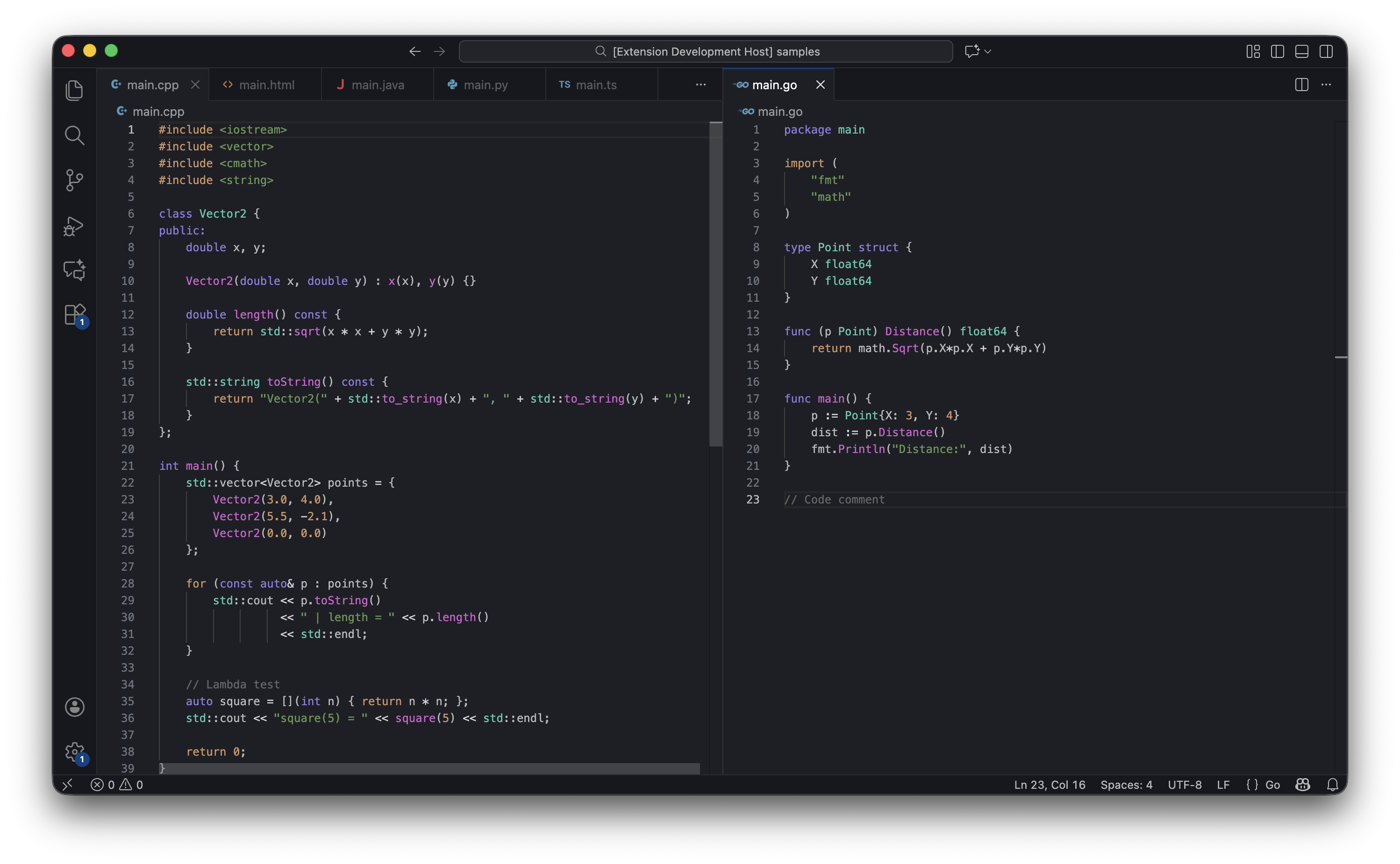
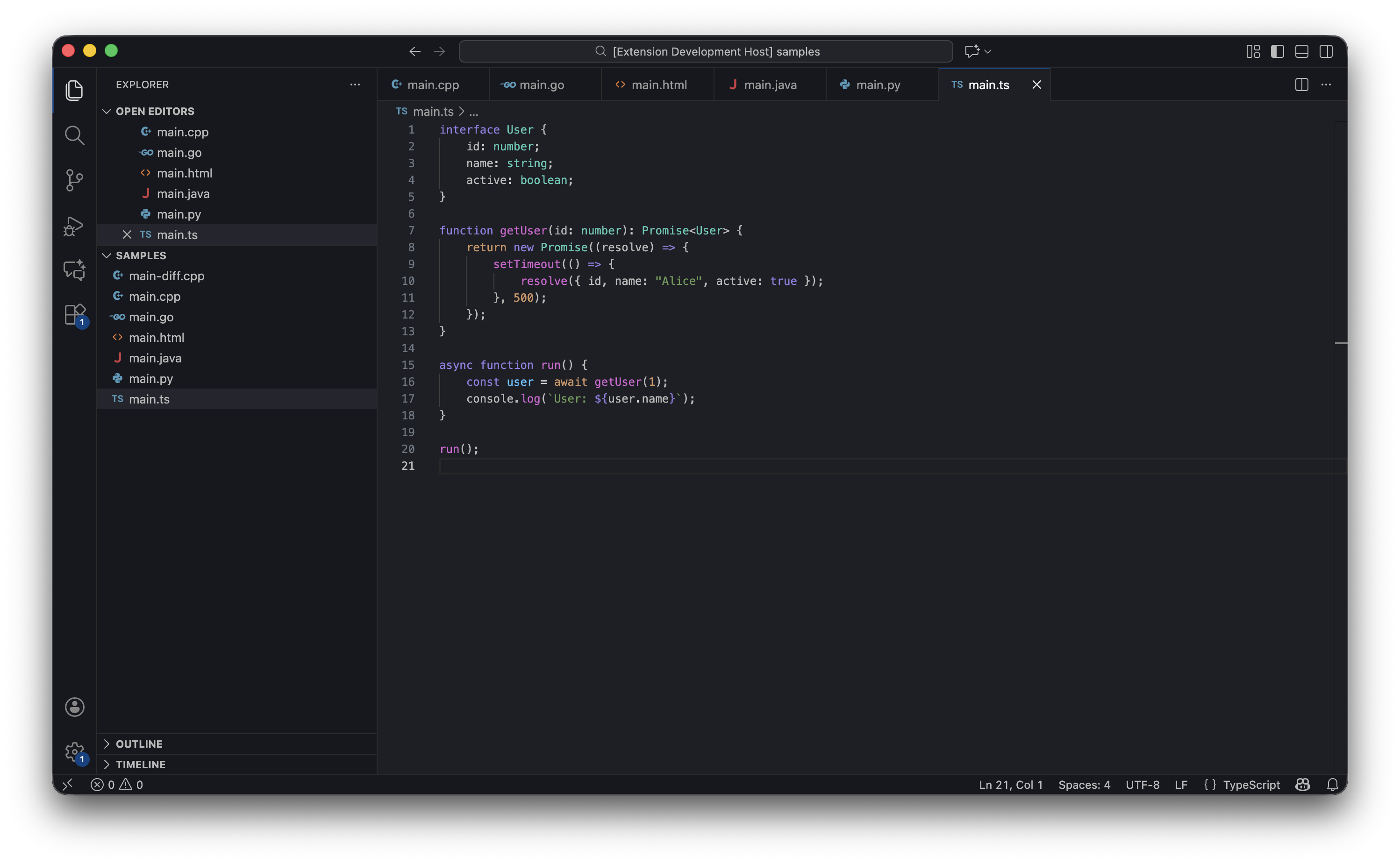
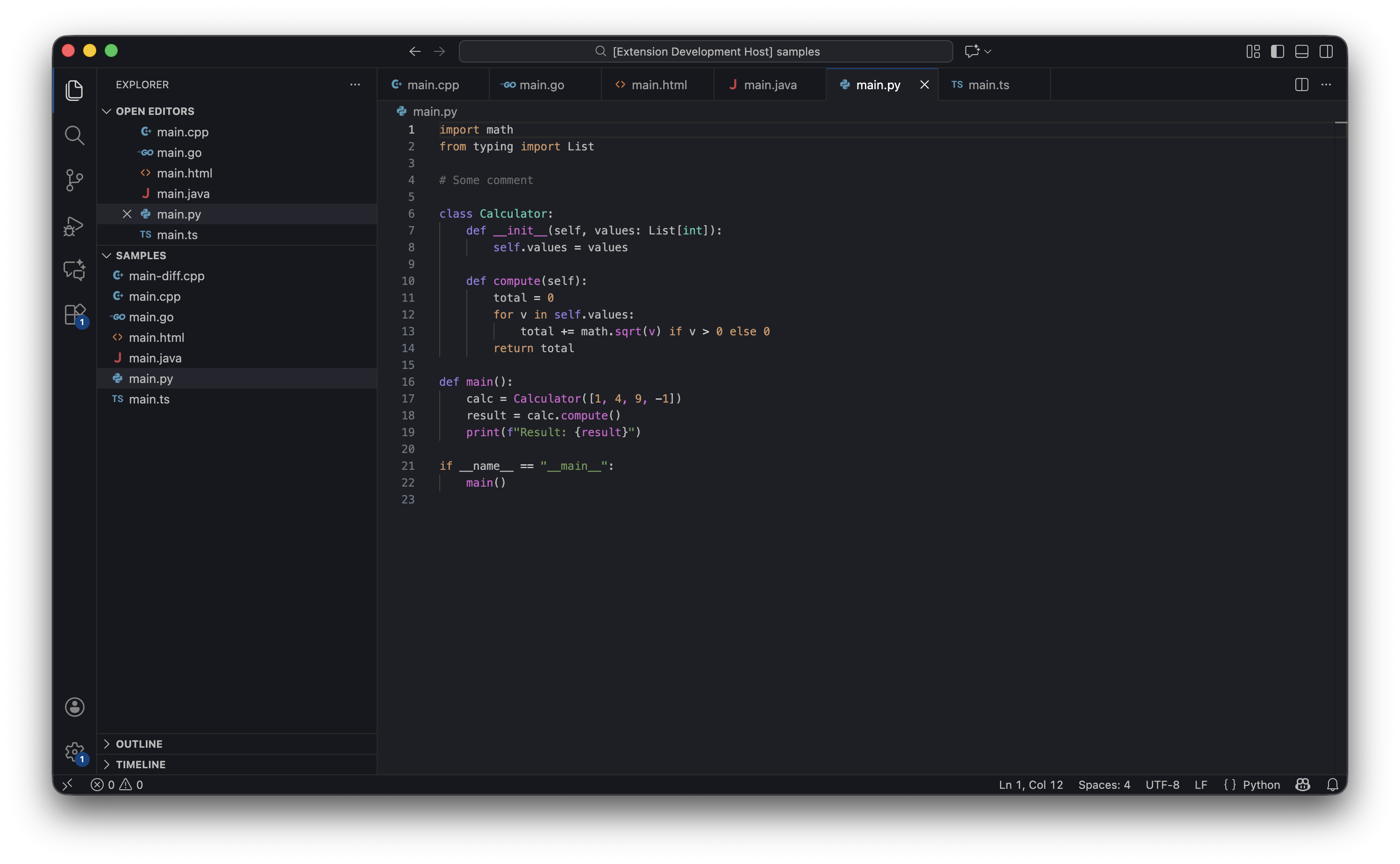
Editor samples
C++/Golang
TypeScript
Python
Contributing
Contributions are welcome! If you'd like to contribute to the theme, please:
- Fork the repository on GitHub
- Create a feature branch for your changes
- Submit a pull request with a clear description of your changes
Downloads

Releases

Note: You can also build from source using the installation instructions.